Convenience vs Security – What’s More Important?
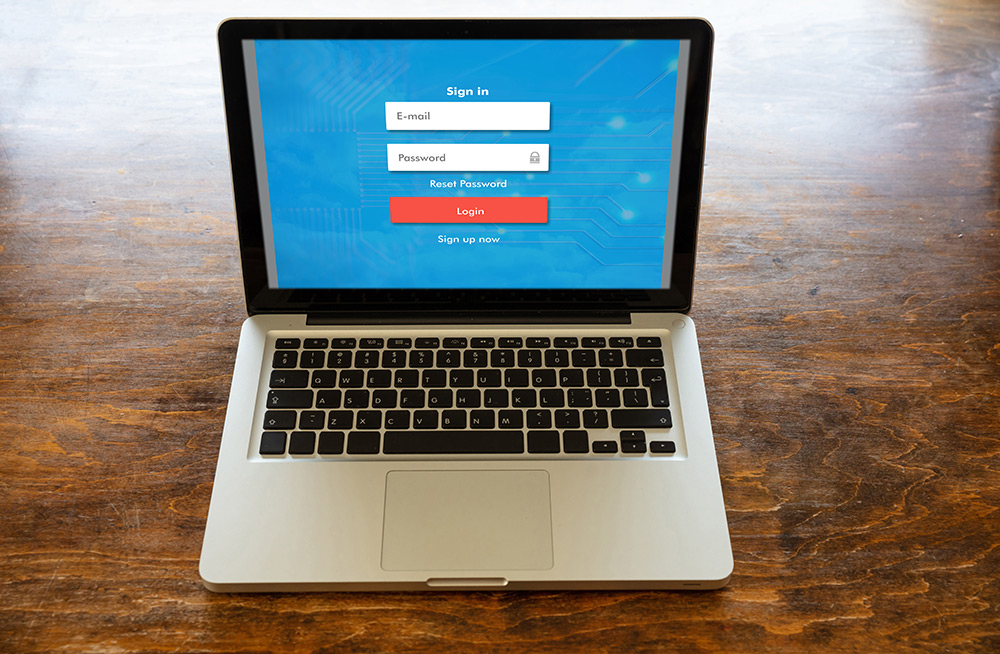
Have you ever saved your login information to a website so that you don’t have to put it in each time you visit? How about staying logged in to those websites, such as Netflix?
If yes, then you have tapped into the convenience of technology. With the evolution of applications, it’s now even faster and more convenient to getthings done on the web, but this level of convenience may be exposing you or someone you know to cybercriminals lurking in cyberspace.
As we get more comfortable navigating technology and browsing online in the digital age, we’re reminding you during October – recognised as Cybersecurity Awareness Month- not to get complacent and trade off security for convenience, but to instead balance the two.
There are several things you should remember to practise, whether at home, at work or outdoors, to protect yourself and your workplace while you surf online.
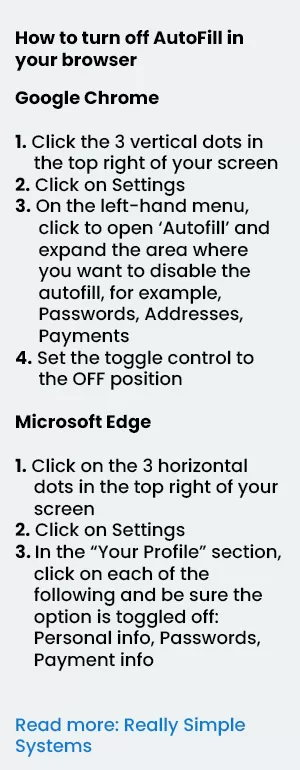
- Disable the autofill feature – Disabling autofill will prevent others from getting access to your credentials and your browsing data. There can be vulnerabilities with autofill that can expose your stored data to phishing attacks.
- Sign out of sites once you are through. While it’s more convenient not having to log in each time, your account left opened could be hijacked by another person.
- Choose strong passwords where the option is available. Use phrases that can’t be easily cracked by hackers.
- Enable two-factor authentication or two-factor verification. This gives you an added level of security and as the name suggests, it requires two methods to authenticate identity.
- Keep personal information professional and limited on the web. Noone online needs to know your relationship status, home address, medical data, etc.
- Avoid questionable websites and only download software from trusted sites. In cyberspace hackers will inject malicious code in software and offer them on trusted spaces for free. Don’t browse torrent sites or any other sites that are potentially risky and/or contain pop-ups.
- Browsers and any plugins should be kept updated. This helps to prevent security breaches and ensures that all features of a website are safe and secure for use. Many browser updates will be issued to combat threats that you can run into when you’re browsing the web, including viruses, and malware.
- Be careful of the comments or posts they make online. The internet does not have a ‘delete key’ so be mindful that information shared online can never be completely removed.
Cybersecurity Awareness Month is celebrated internationally in October every year, to emphasise the importance of cyber safety.

Check out more stories like this

JN Connects with St Ann Businesses to Unlock Opportunities
The JN Group is exploring opportunities to strengthen relationships and...

When the Call Sounds Legit, But Isn’t
Your phone rings. The caller identifies themself as a representative...

JN Money Partners with WapiPay to Expand Remittance Options to Jamaica
JN Money Services has partnered with fintech company, WapiPay, to...