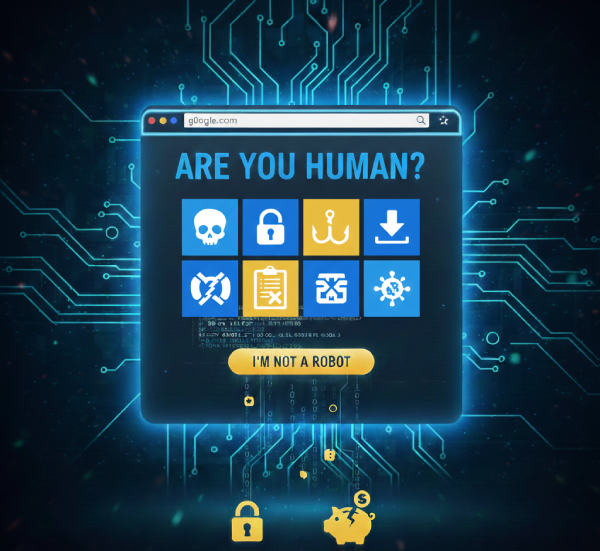
When a Safety Check Becomes a Trap
These days, several websites you try to access prompt you to click “I’m not a robot”, present you with a puzzle or images, to prove you’re human and keep bots at bay. These are CAPTCHAs meant to protect you, but scammers are now using them as tools to execute malicious code on devices and steal data. As 2026, unfolds, CAPTCHA scams are certainly ones to keep an eye out for.
What Is a CAPTCHA and What It Should Do
A CAPTCHA (Completely Automated Public Turing test to tell Computers and Humans Apart) is a challenge presented on websites to ensure the user is human and not an automated bot. Common forms include:
- Clicking “I’m not a robot”
- Selecting certain images
- Solving simple puzzles
They help stop computer programmes from misusing websites.
What Is a CAPTCHA Scam?
A CAPTCHA scam occurs when attackers disguise a malicious action as a legitimate CAPTCHA challenge. Instead of verifying you’re human, these fake CAPTCHAs:
- Appear on compromised or malicious websites
- Show up through pop-ups, advertisements, phishing emails or spoofed domains
- Trick users into running harmful commands or downloading malware
- Steal passwords, financial information or install data-stealing software
How to Identify a Fake CAPTCHA
Real CAPTCHA systems never:
- Ask you to download files
- Prompt you to copy/paste commands into your computer
- Request personal details or passwords
Be suspicious if:
- The CAPTCHA opens in a new window or pop-up
- The URL is unfamiliar or misspelled
- You’re asked to run code or download something
- You receive the CAPTCHA after clicking an ad or unsolicited email link
- You’re asked to do unusual shortcuts (like copy/paste commands)
How to Protect Yourself
Here’s how to stay safe from CAPTCHA scams:
1. Check the Website URL. Make sure the address looks correct and is secured with HTTPS. Scammers often use lookalike domains.

2. Don’t Run Code or Download Files. Legitimate CAPTCHAs never ask you to run scripts or accept downloads. If a page asks you to do this, close it immediately.
3. Avoid Clicking Suspicious Ads. Malicious CAPTCHAs often come from deceptive advertisements or pop-ups. Avoid interacting with unexpected banners or free-offer links.
4. Use Up-to-Date Security Tools. Keep your browser, antivirus software and operating system updated to help block malicious pages and get warnings about dangerous sites.
5. Enable Two-Factor Authentication (2FA) Where Available. Even if a scam exposes your password, 2FA adds a second lock that attackers can’t easily bypass.
6. Stay Educated. Awareness is your first line of defense. Training and awareness can help you spot these tactics before you fall for them. Scammers often rely on surprise and confusion.
If You Think You’ve Encountered a CAPTCHA Scam:
- Close the page immediately
- Run a full malware scan with your antivirus or security suite
- Change your passwords, especially if you entered any credentials
- Enable 2FA everywhere possible
- Report the scam to your financial institution or the relevant authorities for immediate action to be taken to prevent further damage with your information or account(s).
Remember, knowing what to watch out for and how to respond can save your data and devices from harm. Stay safe!

Check out more stories like this

Rising Oil Prices Could Hit Your Household. Here are Five Tips to Help You Save
Consumers are being urged to adopt smarter energy and spending...
Five Ways Women Can Build Stronger Retirement Savings
For many women, retirement planning requires a different level of...

Give to Gain: Nekesha Hines-Brown Finds Hope After Melissa
In the farming community of Burnt Savannah, St Elizabeth, where...